
c2:unlink
Unlink a container
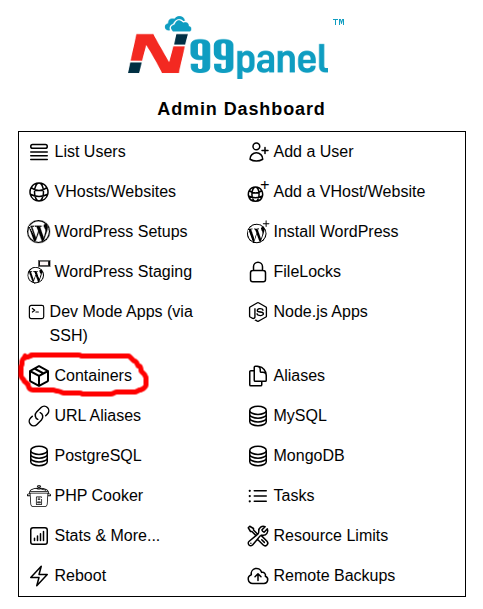
Step 1 : Log into N99panel. From under N99panel dashboard, click 'Containers'
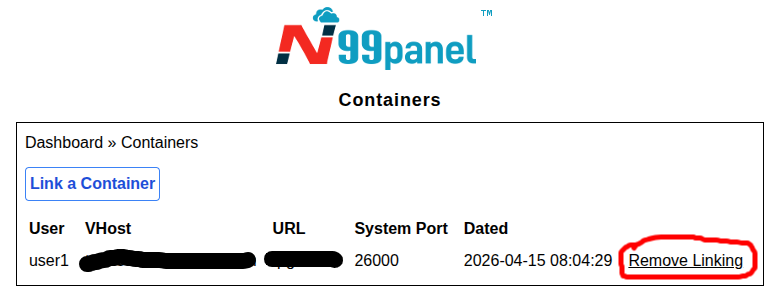
Step 2 : Click on 'Remove Linking' link against the container which you wish to unlink
Step 3 : Submit the form to unlink the container
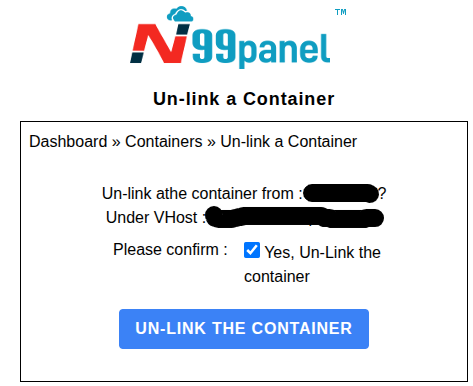
Important points : - This process only unlinks the VHost & URL endpoint to the container. The container may still be running, and if you wish to stop the container, you would need to use appropriate command in order to do so.
c2/unlink.txt · Last modified: 2026/04/15 09:59 by kirtisingh