
postgresql
N99panel also supports PostgreSQL. Within N99panel, it is implemented using containers. Along with PostgreSQL, pgAdmin is also made available.
It is as follows.
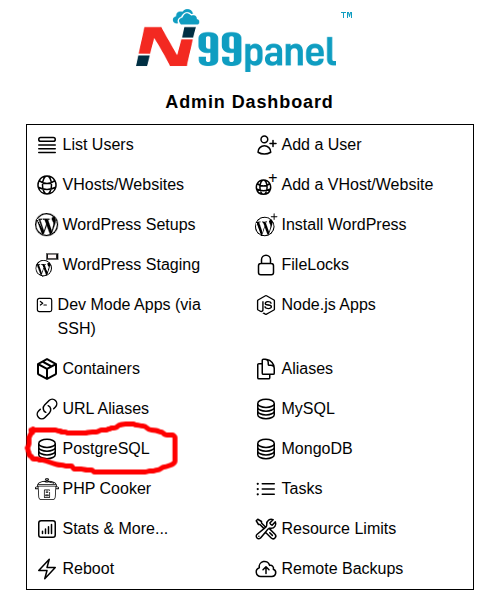
Step 1 : Log into N99panel. From under N99panel dashboard, click 'PostgreSQL'
Step 2 : Fill in the form with various setup inputs
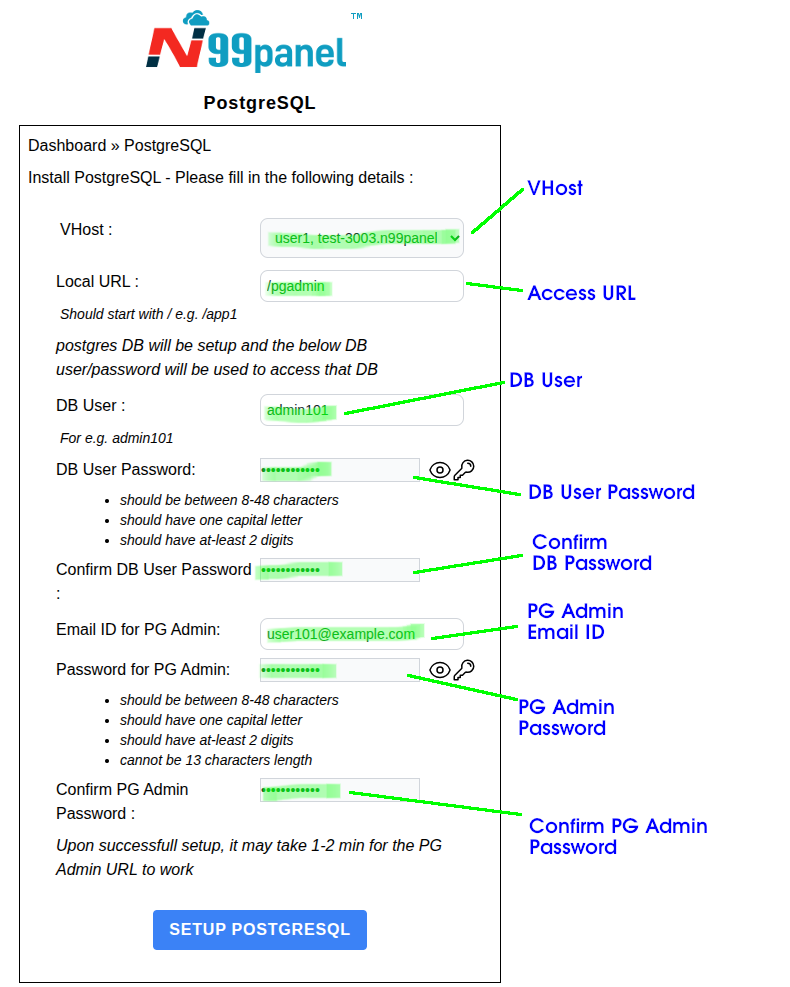
Upon successfully submitting the form, following should be noted
- A postgres DB will be setup
- From your other apps/websites in N99panel, you will be able to access PostgreSQL using the names pg-db or postgres-db or using the IP 172.16.26.1 . The port will be 5432 .
- pgadmin container may take 1-2 min to startup. Kindly try logging into pgadmin after 2 min
postgresql.txt · Last modified: 2026/04/16 09:30 by kirtisingh