
postgresql
This is an old revision of the document!
N99panel also supports PostgreSQL. Within N99panel, it is implemented using containers. Along with PostgreSQL, pgAdmin is also made available.
It is as follows.
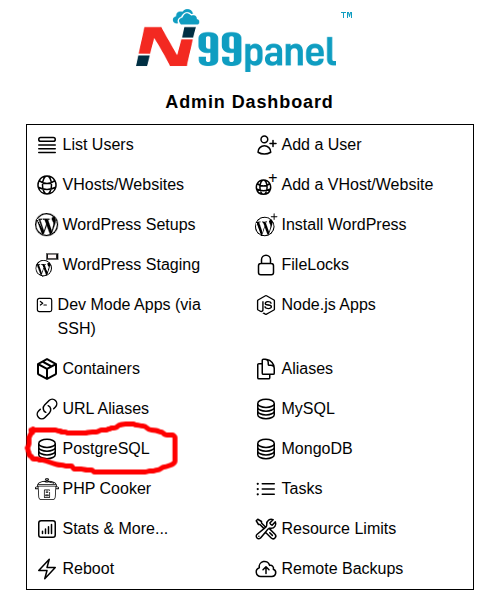
Step 1 : Log into N99panel. From under N99panel dashboard, click 'PostgreSQL'
Step 2 : Fill in the form with various setup inputs
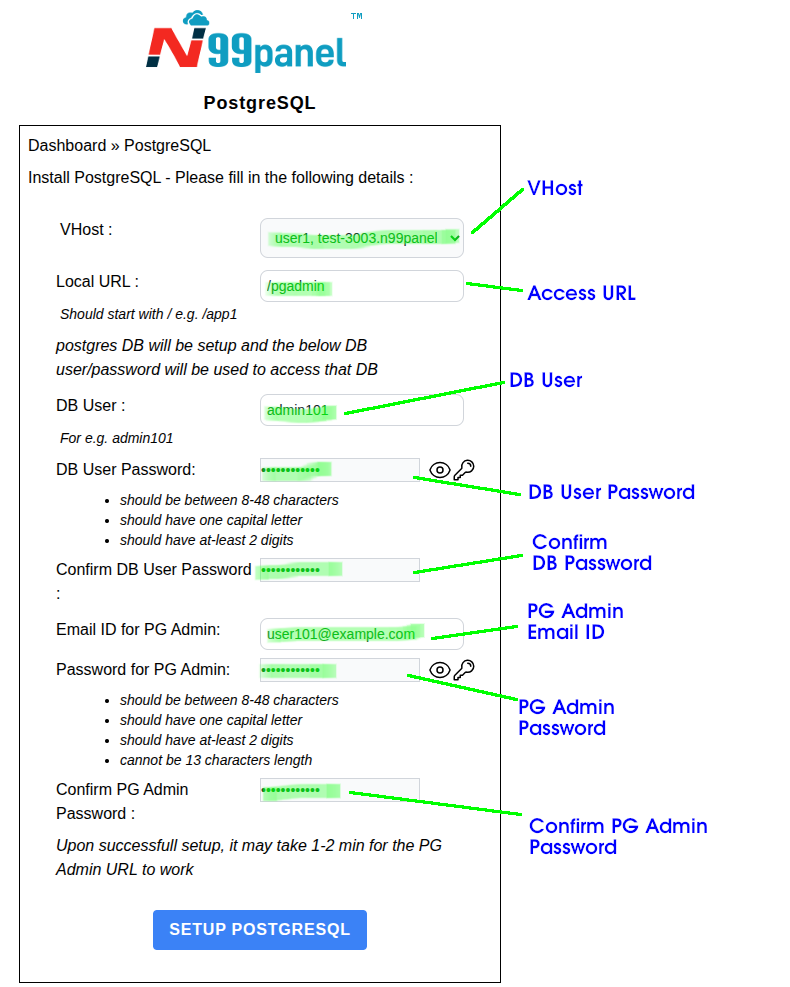
Upon successfully submitting the form, following should be noted
- A postgres DB will be setup
- From your other apps/websites in N99panel, you will be able to access PostgreSQL using the names pg-db or postgres-db or using the IP 172.16.26.1
- pgadmin container may take 1-2 min to startup. Kindly try logging into pgadmin after 2 min
postgresql.1776331791.txt.gz · Last modified: 2026/04/16 09:29 by kirtisingh